Masso Dasuki

I am a Writer

Masso Dasuki

Love to consult on branding awareness, niche market and product value. Love to help people with non-programming skill to create Mobile Application using Android Studio. Experienced with Unity 3D, Laravel, Raspberry Pi, Adruino, Wordpress and Blogspot.

  • Bukit Antarabangasa, Ampang Selangor.
  • +6019-3213193
  • masso.unifreelancer@gmail.com

  • www.unifreelancer.blogspot.com

Me

My Professional Skills

Lorem ipsum dolor sit amet, consectetuer adipiscing elit, sed diam nonummy nibh euismod tincidunt ut laoreet dolore magna aliquam erat volutpat.

Web Design 90%
Web Development 70%
App Development 95%
Wordpress 60%

Awesome features

Aliquam commodo arcu vel ante volutpat tempus. Praesent pulvinar velit at posuere mollis. Quisque libero sapien.

Animated elements

Lorem ipsum dolor sit amet, consectetur adipiscing elit. Sed tempus cursus lectus vel pellentesque. Etiam tincidunt.

Responsive Design

Pellentesque ultricies ligula a libero porta, ut venenatis orci molestie. Vivamus vitae aliquet tellus, sed mollis libero.

Modern design

Duis ut ultricies nisi. Nulla risus odio, dictum vitae purus malesuada, cursus convallis justo. Sed a mi massa dolor.

Retina ready

Vivamus quis tempor purus, a eleifend purus. Ut sodales vel tellus vel vulputate. Fusce rhoncus semper magna.

Fast support

Suspendisse convallis sem eu ligula porta gravida. Suspendisse potenti. Lorem ipsum dolor sit amet, duis omis unde elit.

0
completed project
0
design award
0
facebook like
0
current projects
  • Get It Now ! Microsoft Office Pro 2007 with Serial Key

    Get It Now ! Microsoft Office Pro 2007 with Serial Key

    This entry is link to My Drive . I know it will give big problem to student who don't have money to buy Microsoft Office original. Hence I glad to share something that will benefit poor people like us. I hope Bill Gates don't mind.


    Figure above show the place for serialkey of the software . After you download, open the folder and you will found the serialkeys.txt .

    To install the program the execute file name is Setup.

    Run the program Setup ..


    If you are really newbie, please ask someone else to help you .. If you are really really newbie and you are
    girl . Find me on Facebook..

    By the way, for the Web Expression Software, I might already corrupted . Sorry babe.


    This is my drive link -- >> Crack Software ZIP
  • How To Update Google Glass Driver (Connect To Window 7)

    How To Update Google Glass Driver (Connect To Window 7)


    After connecting the Google Glass to computer, you need to do few to make it enabled in  Android Studio. I write this Tutorial during I am doing some try and error, hence you might see I am not doing it in chronological method. Let’s Start.

    Go to Start > Run > Device Manager

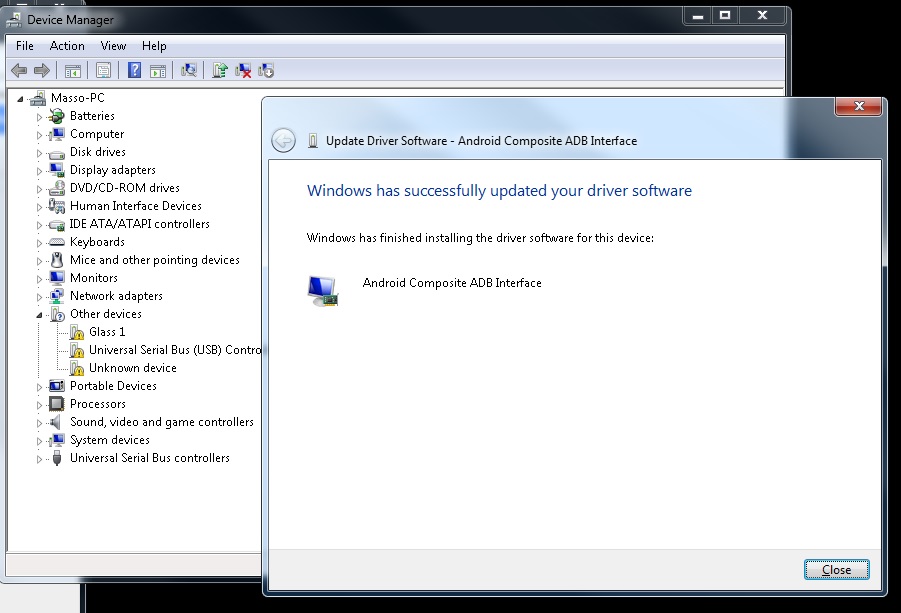
    Picture below show the list of devices attached in the device manager . If you see my Glass 1 show some caution which meaning need to update .

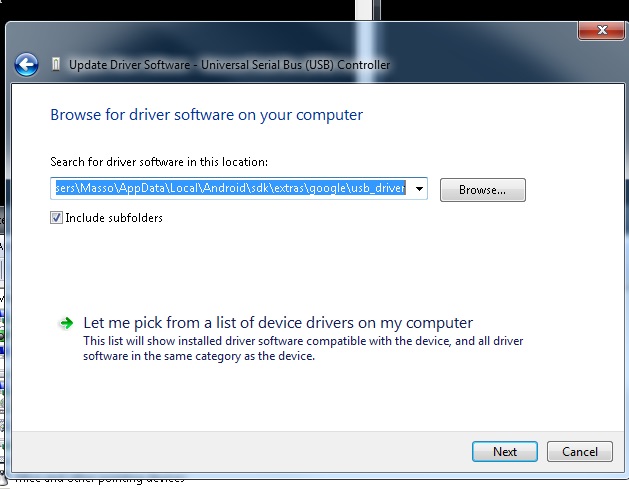
    The “Right Click” on the “Glass 1” device,” Update Driver  Software”. The you need to browse where is the driver location.

    We need to insert the directory of “Android/sdk/extras/google/usb_driver”


    Update Glass1 : Browse from computer
    “C:\Users\Masso\AppData\Local\Android\sdk\extras\google\usb_driver”


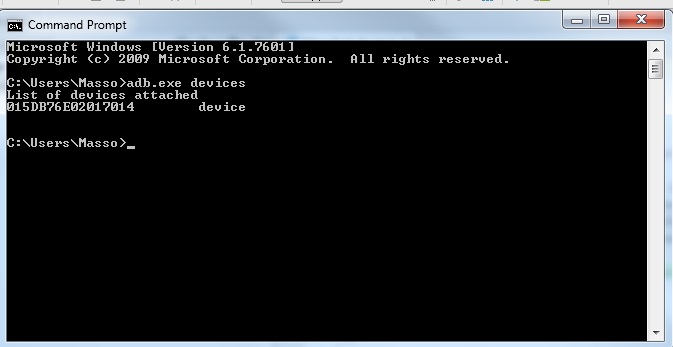
    Ok let see if we managed to update update driver or not with command prompt . If you having problem with the adb devices not recognized, please check your environment system.  

    Run CMD
    Insert --> “adb.exe devices”


    Because of the “android_winusb.inf” is not update yet. Hence the device is unauthorized.

    Then  I need to edit something.


    Copy this

    ;Google Glass
    %SingleAdbInterface% = USB_Install, USB\VID_18D1&PID_4E11&REV_0216
    %CompositeAdbInterface% = USB_Install, USB\VID_18D1&PID_4E11&MI_01

    %SingleAdbInterface% = USB_Install, USB\VID_18D1&PID_9001&REV_0216
    %CompositeAdbInterface% = USB_Install, USB\VID_18D1&PID_9001&MI_01

    to  these two sections:

    [Google.NTx86]

    [Google.NTamd64]


    After editing the “android_winusb.inf” at directory “Android/sdk/extras/google/usb_driver” the List of devices attached will show device not unauthorized anymore.


    If your Android Studio still not detecting the Google Glass this might because of your computer need a driver signature.


    To encounter the driver signature problem you need to reboot computer and go to Advanced Boot Options .
    Press F8 or any key to get into Advanced Boot Options

    Then ->
    Disable Driver Signature Enforcement


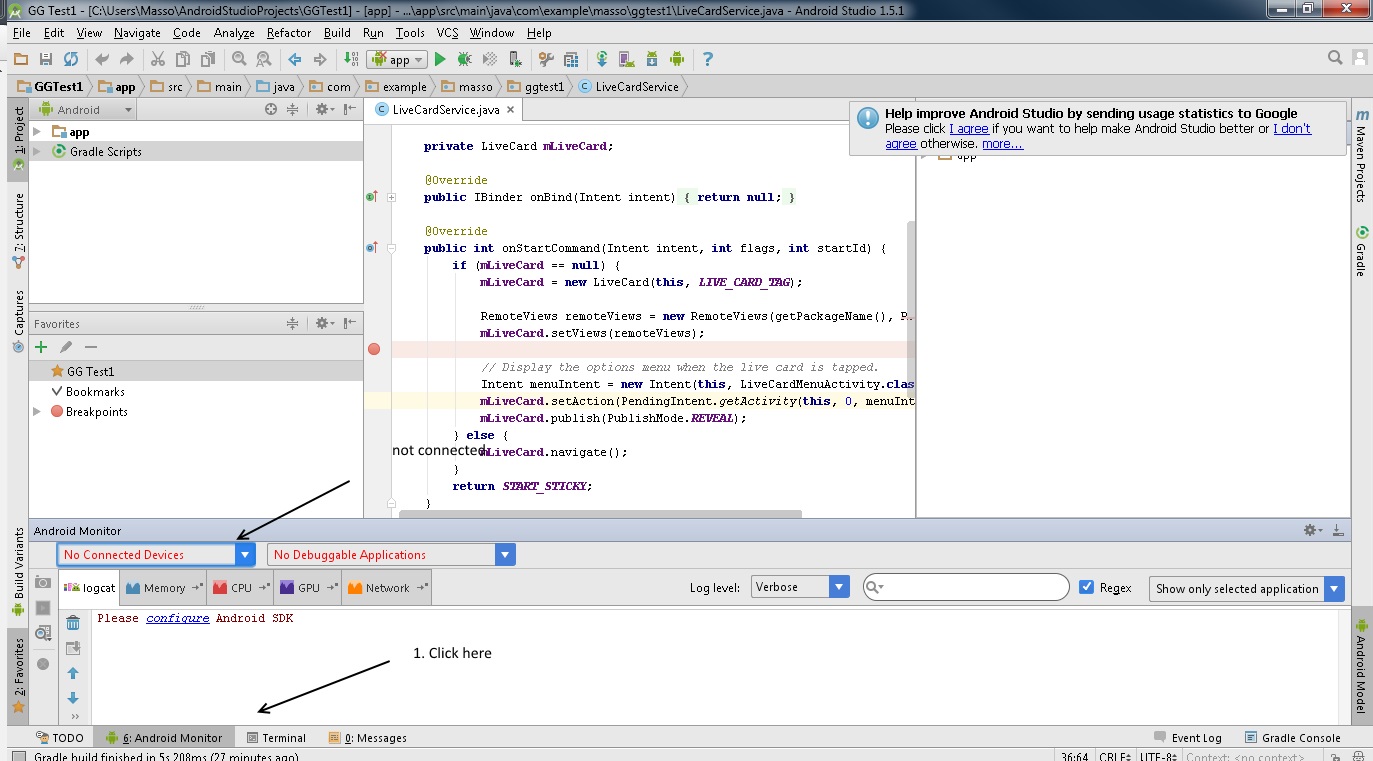
    Then connect the Google Glass device and open Android Studio .

    1. Connect device
    2. Turn on debugging mode in Google Glass
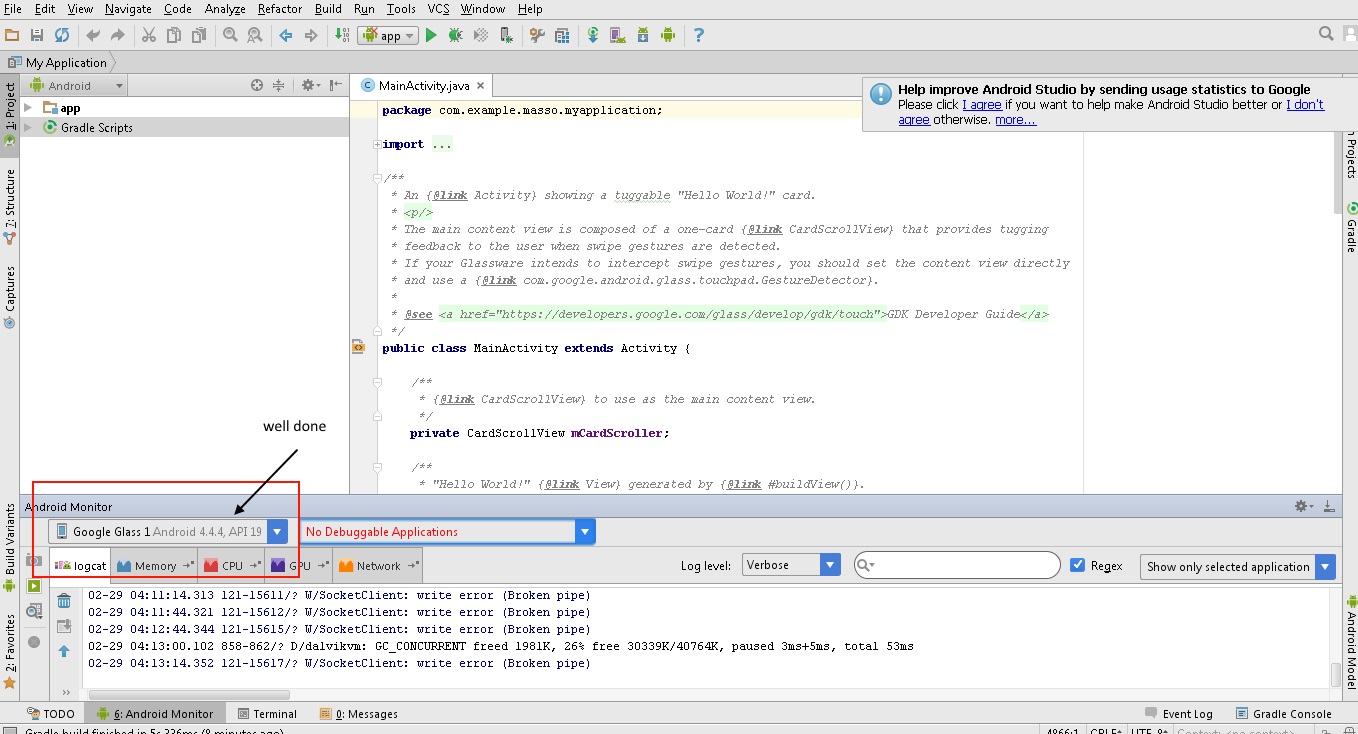
    3. Open Android Studio and go to Android Monitor usually at the bottom..


    How to Turn On debugging mode in Google Glass ?

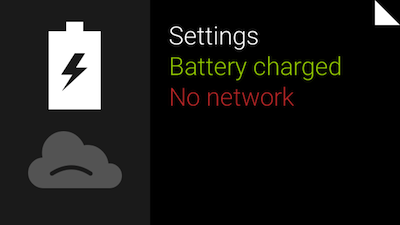
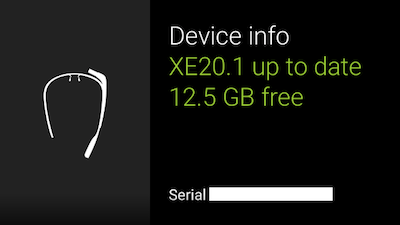
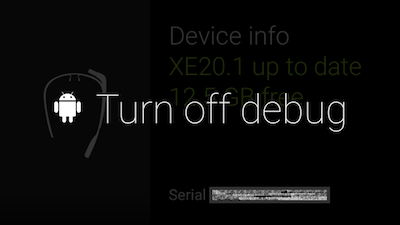
    You have to do something like this on every Android device you use for development of your apps so this might be familiar. To enable debug, swipe to “Settings” -> “Device info” and then tap to open device menu. Select “Turn on debug” and it will be enabled.

    toptal-blog-image-1410448653133.png

    toptal-blog-image-1410449025777.png


    toptal-blog-image-1410449059175.png


    Lastly if my entry not very clear to you, then you may visit
  • GET A FREE QUOTE NOW

    Lorem ipsum dolor sit amet, consectetuer adipiscing elit, sed diam nonummy nibh euismod tincidunt ut laoreet dolore magna aliquam erat volutpat.

    ADDRESS

    4759, NY 10011 Abia Martin Drive, Huston

    EMAIL

    contact-support@mail.com
    another@mail.com

    TELEPHONE

    +201 478 9800
    +501 478 9800

    MOBILE

    0177 7536213 44,
    017 775362 13