After connecting the Google Glass to computer, you need to do few to make it enabled in Android Studio. I write this Tutorial during I am doing some try and error, hence you might see I am not doing it in chronological method. Let’s Start.
Go to Start > Run > Device Manager
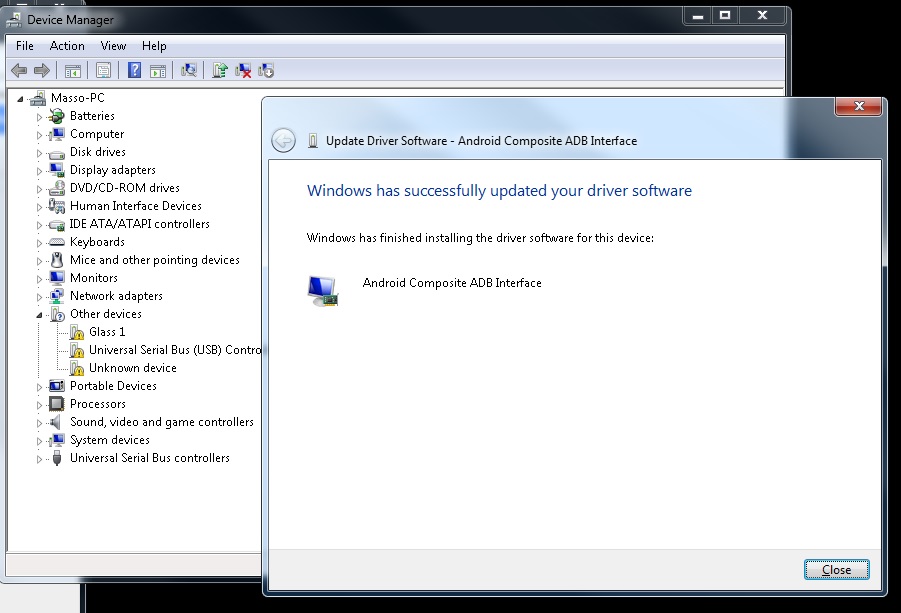
Picture below show the list of devices attached in the device manager . If you see my Glass 1 show some caution which meaning need to update .
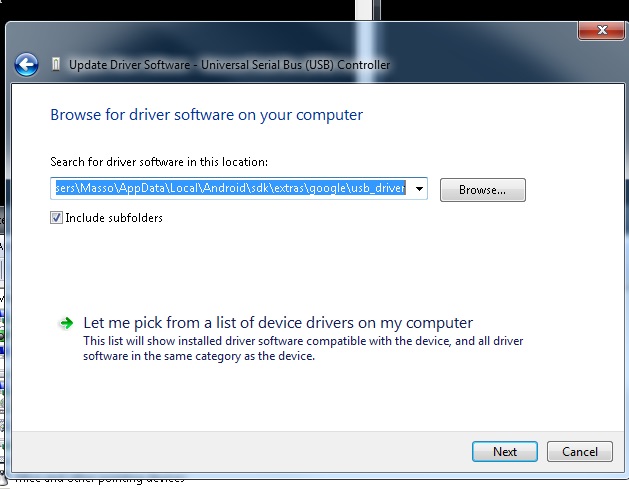
The “Right Click” on the “Glass 1” device,” Update Driver Software”. The you need to browse where is the driver location.
We need to insert the directory of “Android/sdk/extras/google/usb_driver”

Update Glass1 : Browse from computer
“C:\Users\Masso\AppData\Local\Android\sdk\extras\google\usb_driver”

Ok let see if we managed to update update driver or not with command prompt . If you having problem with the adb devices not recognized, please check your environment system.
Run CMD
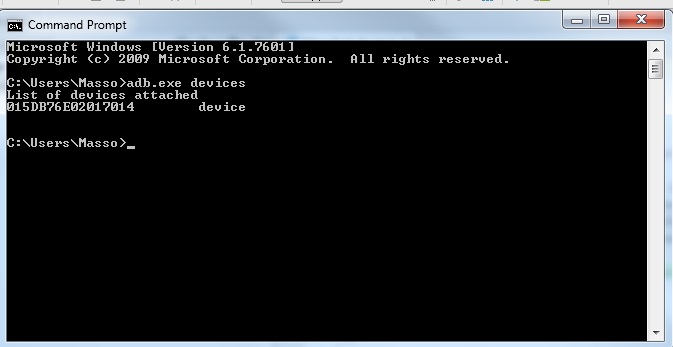
Insert --> “adb.exe devices”

Because of the “android_winusb.inf” is not update yet. Hence the device is unauthorized.
Then I need to edit something.

Copy this
;Google Glass
%SingleAdbInterface% = USB_Install, USB\VID_18D1&PID_4E11&REV_0216
%CompositeAdbInterface% = USB_Install, USB\VID_18D1&PID_4E11&MI_01
%SingleAdbInterface% = USB_Install, USB\VID_18D1&PID_9001&REV_0216
%CompositeAdbInterface% = USB_Install, USB\VID_18D1&PID_9001&MI_01
to these two sections:
[Google.NTx86]
[Google.NTamd64]
After editing the “android_winusb.inf” at directory “Android/sdk/extras/google/usb_driver” the List of devices attached will show device not unauthorized anymore.
If your Android Studio still not detecting the Google Glass this might because of your computer need a driver signature.
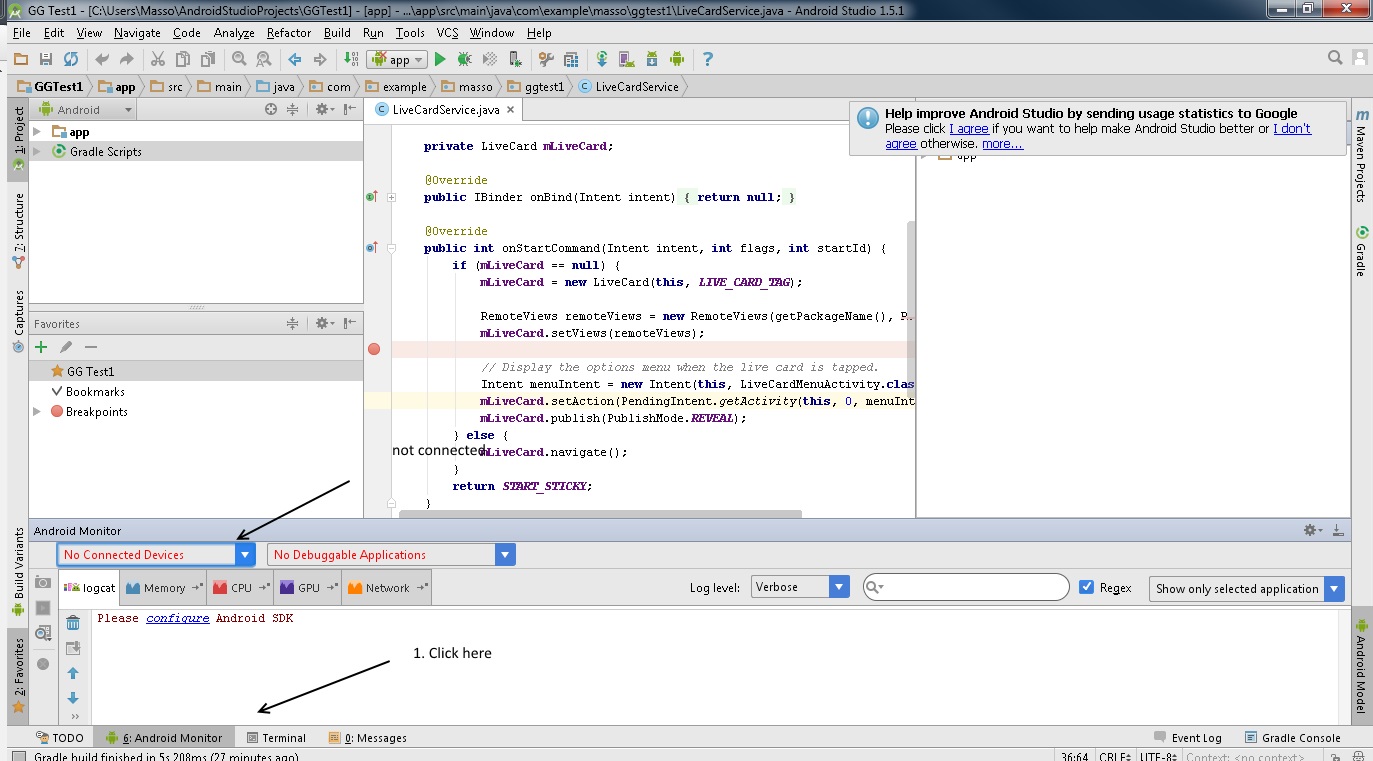
To encounter the driver signature problem you need to reboot computer and go to Advanced Boot Options .
Press F8 or any key to get into Advanced Boot Options
Then ->
Disable Driver Signature Enforcement

Then connect the Google Glass device and open Android Studio .
- Connect device
- Turn on debugging mode in Google Glass
- Open Android Studio and go to Android Monitor usually at the bottom..
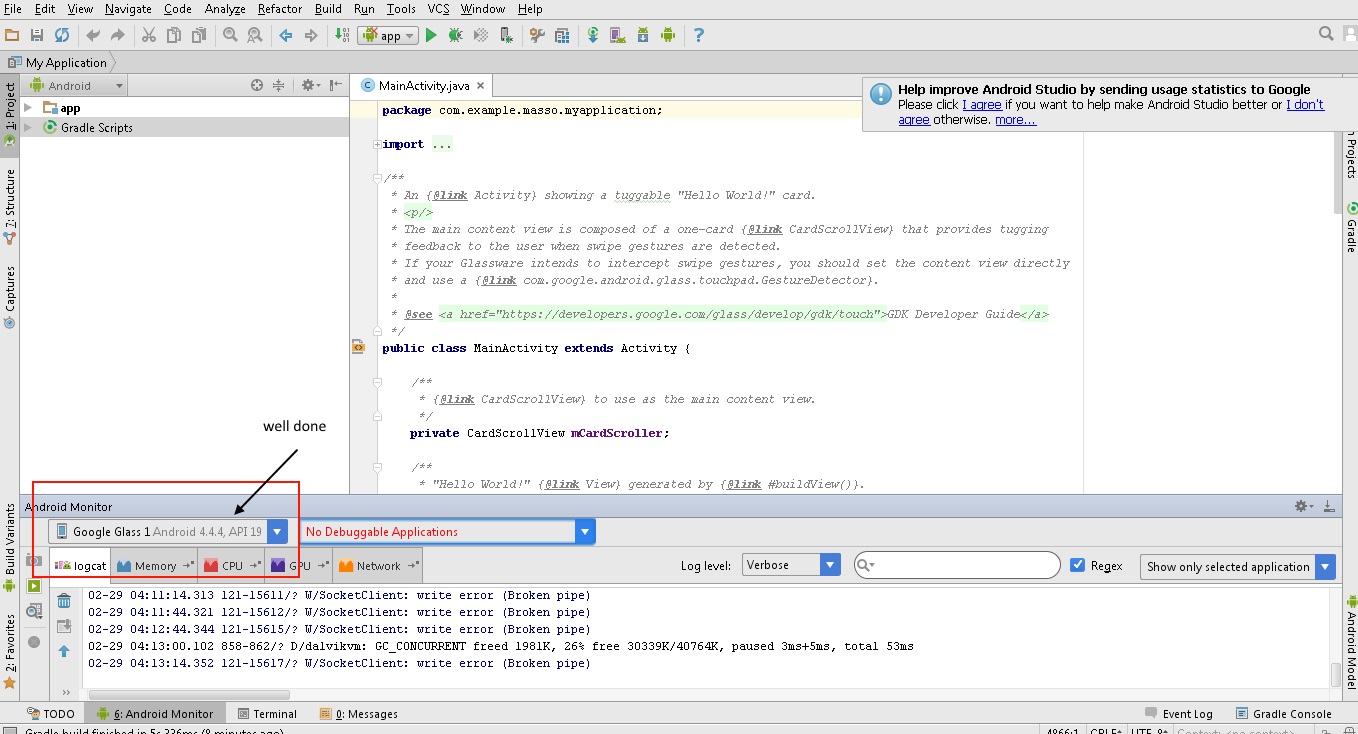
How to Turn On debugging mode in Google Glass ?
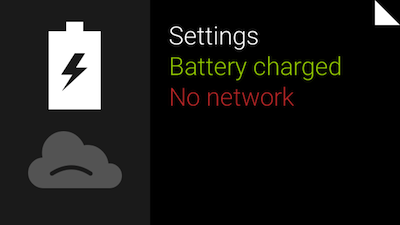
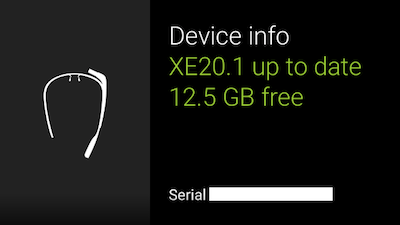
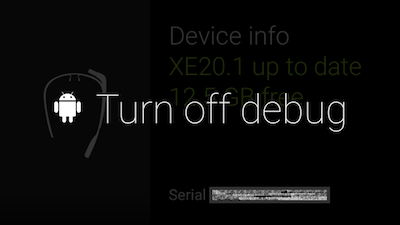
You have to do something like this on every Android device you use for development of your apps so this might be familiar. To enable debug, swipe to “Settings” -> “Device info” and then tap to open device menu. Select “Turn on debug” and it will be enabled.
Lastly if my entry not very clear to you, then you may visit


0 comments:
Post a Comment